
How To Register for a DataPeak Account
Your simple, friendly guide to creating your account and getting started.
Whether you’re exploring DataPeak for the first time or setting it up for your team, registration only takes a few minutes.
Follow the steps below to create your account and choose the plan that fits your needs.
Before You Begin
Make sure you have:
A valid email address you can access immediately
Your name as you want it to appear in your workspace
A general sense of whether you’re signing up for Business or Enterprise
(If you’re unsure, don’t worry, you can start with Business and upgrade later.)
1. Go to the Registration Page
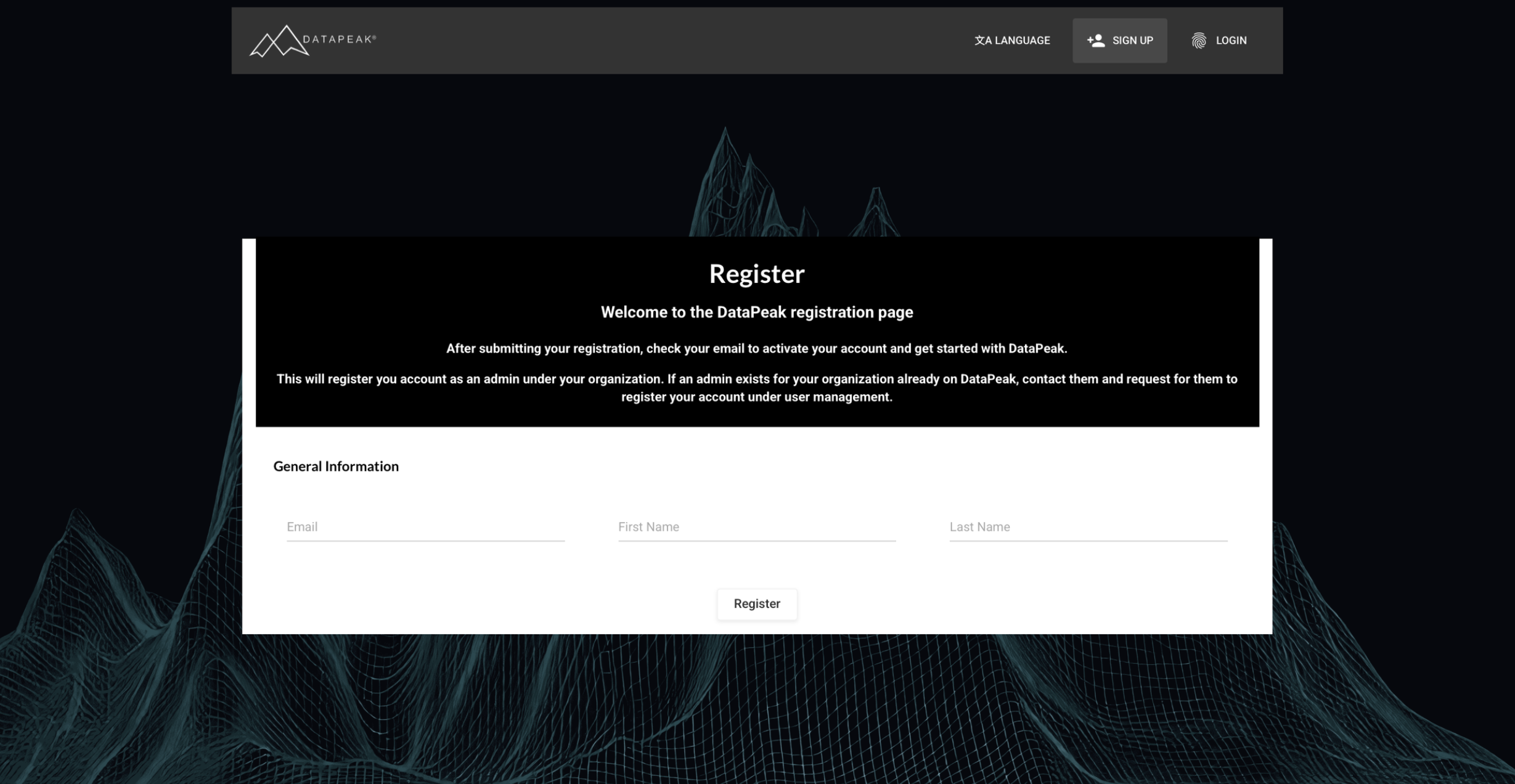
Visit: https://beta.datapeak.me/registration
You’ll see a quick sign-up form with:
Name
Email Address
2. Enter Your Details
Type in your name and email, then click Sign Up.
We’ll send a confirmation email so you can verify your account.
3. Activate Your Account
Check your inbox for an email titled:
“You're in! Let's get to work (and play) with your data”
Click Activate Account to confirm your email address and return to the platform.
4. Create Your Password
Next, you’ll set your password.
This will be your login for all future access.
Once your password is created, Business Starter users can continue to select their subscription. If your organization is interested in Enterprise, contact the DataPeak team to discuss your requirements and Enterprise setup.
5. Choose Your Plan
DataPeak offers two plans: Business and Enterprise.
Here’s a quick overview to help you choose the right one.
Business Plan
Built for individuals and small to medium-sized businesses (SMBs).
Includes:
Multiple public and private AI models
Access to 100s of data connectors
Support for structured and unstructured data
DataPeak Chat, Deep Chat, and Agent Chat
Pre-built and custom AI agents
Knowledge Graph and persistent memory
AI-powered data cleaning, preparation, and analytics
AI Data Merge, Data Sheets, VisionLLM, Output APIs, and API Tokens
User hierarchy and permissions
Data security and encryption
Unlimited users
Free platform upgrades
200,000 AI usage tokens included monthly
Additional tokens charged based on LLM usage
Price: $100 USD/month
Choose Business Starter if you want self-service access to DataPeak with included monthly AI usage and the core platform capabilities needed to work with your data, AI, and automated workflows.
Enterprise Plan
Built to scale with large organizations and complex environments.
Includes everything in Business Starter, plus:
Dedicated single-tenant environment
Dedicated data sovereignty environment
Tailored AI usage and token limits
SOC 2 Type 2 and ISO 27001 support
Incident management and disaster recovery
Data backups
Dedicated account management
Full dedicated access to the DataPeak team
Accessibility compliance and reporting
Dedicated service level agreements
On-premise, air-gapped setup
Tailored performance tuning and resource isolation
Custom licensing
Full audit and logging control
Unlimited data connectors
24/7 mission critical support
Custom integrations
Country-specific data domicile with legislative/compliance support
White labeling
Bespoke automation for Enterprise data requirements
Governed Agentic Platform
Variable outcome units
Strategic gain-share
Price: Specialized pricing tailored to your organization
To get started with Enterprise, contact the DataPeak team so we can discuss your organization’s infrastructure, usage, security, deployment, and support requirements.
6. Log In & Start Exploring
Once your account and plan setup are complete, sign in using your email and password.
You’ll land on the Welcome Page, where you can:
Upload your first dataset
Create your first AI Agent
Chat with your data
Explore Templates
and more
(We cover all of these in separate How-To guides.)
What’s Next?
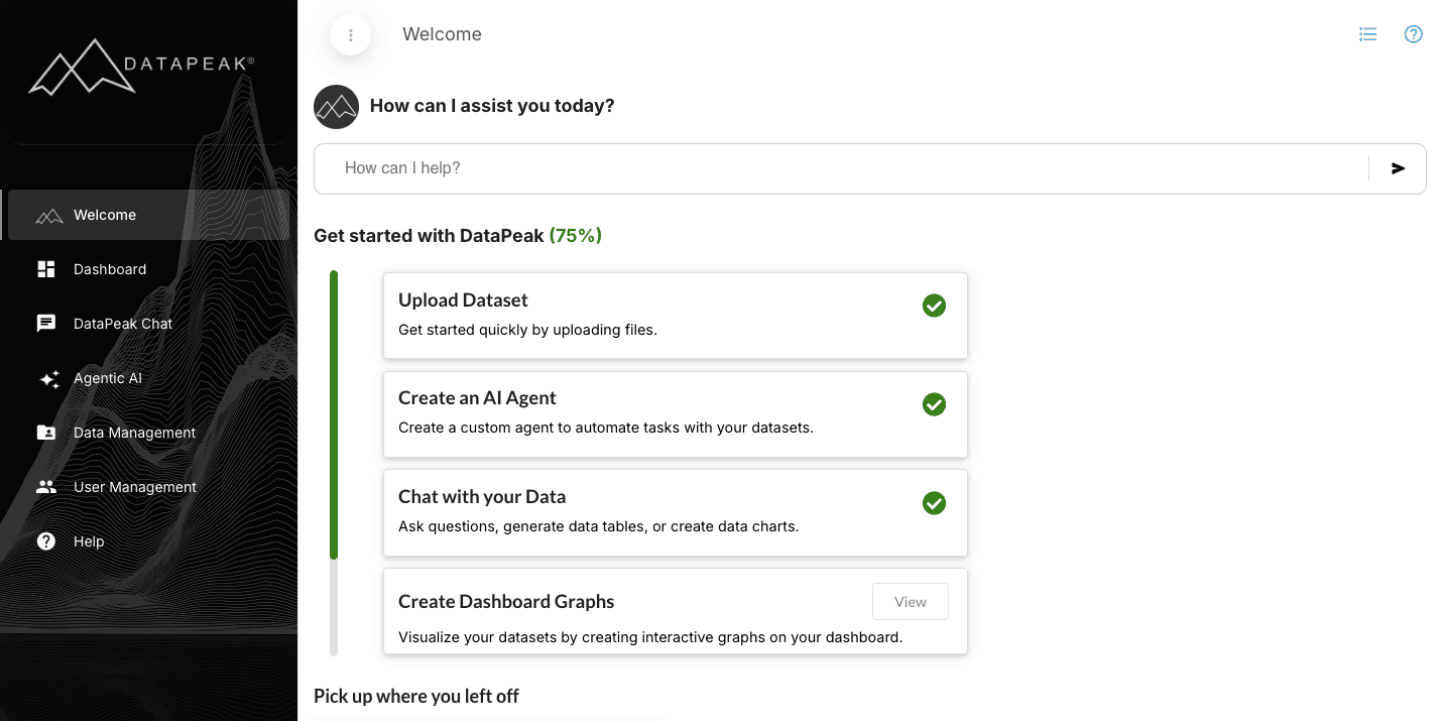
Once your account is set up, most users start with:
Uploading a dataset
Creating an AI agent
Chatting with data
Create Dashboard Graphs
You’re officially ready to start using DataPeak to automate tasks, analyze data, and build AI-driven workflows.